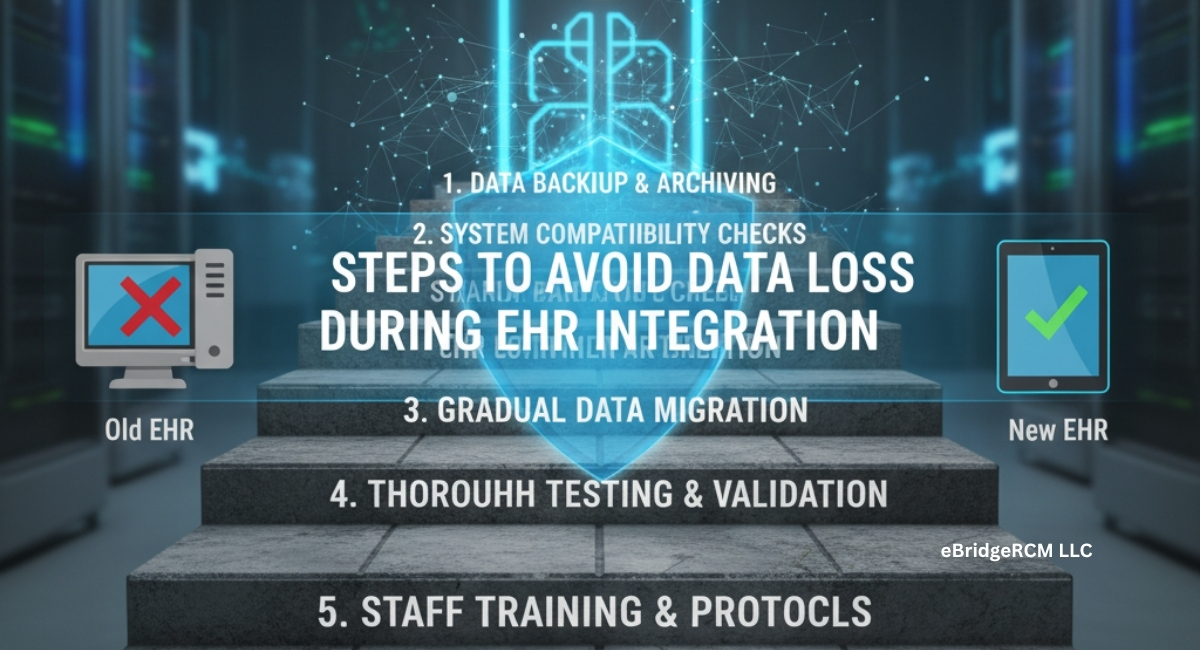
The shift from fragmented health records to a unified Electronic Health Record (EHR) system is no longer optional for most healthcare organizations. As more providers embrace digital healthcare solutions, one of the recurring challenges is how to transfer existing patient data without losing critical information. Data loss during EHR integration not only disrupts daily operations but also creates legal, compliance, and financial risks.
This guide explores practical steps to prevent data loss during EHR integration, offering a detailed manual for healthcare organizations, IT teams, and billing specialists. While integration is often discussed as a technical process, its impact stretches across clinical documentation, patient safety, and revenue cycle management. For instance, billing departments that handle family medicine billing or cardiology billing rely on accurate data mapping to ensure claims are filed correctly after migration. A single error in migration could cascade into delays, denials, or even compliance investigations.
By following a structured process, healthcare organizations can reduce risks and ensure that patient records remain complete, secure, and accessible.
Why Data Loss Happens in EHR Integration
Before diving into solutions, it’s essential to understand why data loss is so common in EHR projects. Most practices underestimate the complexity of consolidating records that may have been collected over decades. Older systems may use incompatible formats or outdated codes, making it difficult to align with modern platforms.
Common causes of data loss include:
- Lack of a structured migration plan
- Incomplete or outdated patient records in legacy systems
- Poor mapping between data fields in old and new systems
- Technical errors during migration (server crashes, corrupted files)
- Human error while entering or cleaning up records
- Inadequate testing before system go-live
This means that preventing data loss requires planning, validation, and continuous monitoring, not just transferring files from one system to another.
Step 1: Begin with a Comprehensive Pre-Migration Audit
One of the most overlooked steps is auditing the existing data. Without an audit, you risk transferring duplicate, incomplete, or inaccurate information.
What an audit should cover:
- Review all patient demographics for consistency
- Identify duplicate patient profiles and merge where necessary
- Check billing histories for missing codes or denied claims
- Verify insurance details and policy numbers
- Clean up outdated or inactive patient records
For practices managing complex services such as internal medicine billing, this step is particularly important because billing histories are tied directly to reimbursements. A single error in claims history can cause cascading revenue issues if migrated incorrectly.
Tip: Document every issue found during the audit. These records will guide your field mapping and testing process later.
Step 2: Create a Detailed Data Mapping Strategy
Every EHR system stores information differently. What is labeled as “Patient History” in one system might be broken into separate categories in another. Mapping ensures that each data field has a designated place in the new system.
Example Table: Mapping Patient Data Across Systems
| Legacy System Field | New EHR Field | Action Required |
| Patient Name | Full_Name | Direct transfer |
| DOB | Patient_DOB | Direct transfer |
| Allergies | Med_Allergies | Standardize format |
| Primary Insurance | Policy_Number | Reformat for consistency |
| Lab Results | Clinical_Notes | Validate lab codes |
Pro Tip: Conduct trial mappings with smaller datasets before applying rules to the entire database. This will reveal inconsistencies early.
Step 3: Establish Secure Data Migration Protocols
Data migration is not just about moving files — it involves protecting sensitive patient information during transit. Healthcare data breaches are on the rise, and EHR transitions are a vulnerable stage.
Key practices for secure data migration:
- Encrypt all data before and during transfer
- Use VPNs or secure cloud channels
- Restrict access to migration teams only
- Log all migration activities for compliance checks
- Validate security protocols with a compliance officer
A breach during migration could cost far more than the integration itself. It can also affect a practice’s reputation, especially for providers handling sensitive cases like mental health billing or psychiatry services.
Step 4: Backup Everything Before Migration
This step cannot be overstated: always backup data before migration. No matter how well you plan, migration errors are inevitable. Backups ensure you can recover quickly without permanent loss.
Backup Strategy Options:
- Local backups on secure servers within the facility
- Cloud-based backups with end-to-end encryption
- Versioned backups that allow rollback to previous states
- External drives or third-party secure storage
For added security, test the backup recovery process before migration. A backup is only as reliable as its ability to be restored.
Step 5: Pilot Testing Before Full Integration
Testing with a limited dataset prevents system-wide errors. Select a small sample of patient records and migrate them to the new system.
Testing Checklist:
- Verify patient demographics appear correctly
- Ensure billing codes and histories remain intact
- Confirm allergies, prescriptions, and lab results match
- Test accessibility of old and new records by physicians
- Review reporting and claim submission features
Pilot testing should involve not just IT staff but also clinical and billing teams. Their input helps identify gaps that a technical team may overlook.
Step 6: Train Staff Thoroughly
Even if the integration process is technically perfect, lack of staff training can lead to errors that mimic data loss. If staff cannot locate records or misinterpret new workflows, patient care suffers.
Training Essentials:
- Educate staff on new data entry formats
- Walk them through retrieving old patient records
- Provide training on billing module changes
- Teach error reporting and troubleshooting
For example, practices offering neurology billing often deal with complex documentation requirements. Without training, staff may fail to capture critical billing notes correctly in the new system.
Step 7: Post-Migration Validation and Monitoring
After migration, validation is the final safeguard. This step confirms that data integrity has been preserved and that the new system is fully functional.
Validation techniques include:
- Automated cross-checking tools comparing old vs. new records
- Random manual record audits
- Clinical review by physicians for accuracy
- Generating billing reports to confirm claim consistency
Ongoing monitoring after go-live helps identify issues that surface gradually, such as slow performance or delayed claims.
Case Insight: A Mid-Sized Clinic Migration
Consider a mid-sized internal medicine clinic that migrated to a new EHR without performing a thorough pre-audit. Post-integration, they discovered that allergy data for over 600 patients was missing. This error not only created clinical risks but also delayed billing since claim forms had incomplete patient details.
By contrast, another clinic using structured backup, trial mapping, and phased testing reported minimal disruption during their migration. This demonstrates how preparation directly impacts outcomes.
Common Mistakes That Cause Data Loss
- Migrating without sufficient backups
- Ignoring compliance requirements (HIPAA, local regulations)
- Overlooking specialty-specific billing structures
- Relying solely on IT without involving clinicians and billing teams
- Skipping pilot testing due to time constraints
Each of these mistakes can derail the integration process. In particular, practices with complex billing such as pediatrics or gastroenterology cannot afford gaps since reimbursement accuracy depends on every detail being transferred correctly.
Frequently Asked Questions
Q1: What is the biggest risk in EHR integration?
The biggest risk is permanent data loss caused by poor mapping or lack of backups. This can affect both patient safety and revenue cycle operations.
Q2: How can practices ensure compliance during migration?
Engage compliance officers early, use encrypted transfers, and document every step of migration to demonstrate HIPAA adherence.
Q3: Can smaller practices manage integration on their own?
Small practices may attempt it, but outsourcing often saves time and reduces risks. Partnering with professional services offering EHR integration support ensures compliance and accuracy.
Q4: What type of data is most vulnerable during migration?
Sensitive patient histories, allergy records, lab results, and insurance details are most vulnerable because they involve multiple system formats.
Q5: How does EHR migration affect billing?
If billing histories or codes are lost, claim submissions get delayed or denied. Practices in specialties like neurology or cardiology often experience significant revenue disruptions if billing data isn’t preserved accurately.
Q6: How often should data validation occur after migration?
Validation should happen immediately post-migration, then periodically (weekly, monthly) for at least six months to ensure no emerging errors.
Final Thoughts
EHR integration is not simply a technical upgrade. It’s a transformation that impacts patient safety, billing accuracy, and operational efficiency. Preventing data loss requires structured preparation: audits, secure migration, thorough backups, staff training, and continuous validation.
Practices that skip steps often face costly disruptions, while those that plan carefully see smoother transitions with minimal interruptions. Whether handling pediatrics billing, neurology, or cardiology, accuracy in data migration translates into both better patient care and financial stability.
Healthcare organizations that want to secure data migration while maintaining revenue flow can benefit from expert assistance. Partnering with specialists like eBridge RCM LLC ensures that integration is not only secure but also aligned with the billing and revenue cycle needs of modern medical practices.