
When the Payment Arrives but the Explanation Does Not
A billing coordinator at a three-physician internal medicine practice spends two hours every Monday opening paper envelopes from insurance companies. Each envelope contains an Explanation of Benefits, or EOB, showing what was paid, what was adjusted, and what was denied for a batch of claims submitted weeks earlier. She manually keys this information into the practice management system, checks each line against the original claim, and then posts the payments.
By the time she finishes, it is nearly noon. The information she just posted is already 30 to 45 days old. Three of the EOBs contain partial payments with adjustment codes she does not immediately recognize, which means more time spent calling the payer for clarification.
This is what medical billing looks like without Electronic Remittance Advice. It is slow, error-prone, and expensive in staff time. ERA exists to replace this workflow entirely, and practices that have not yet moved to it are carrying a cost that shows up in their revenue cycle even if they cannot see it clearly.
What ERA Means in Medical Billing
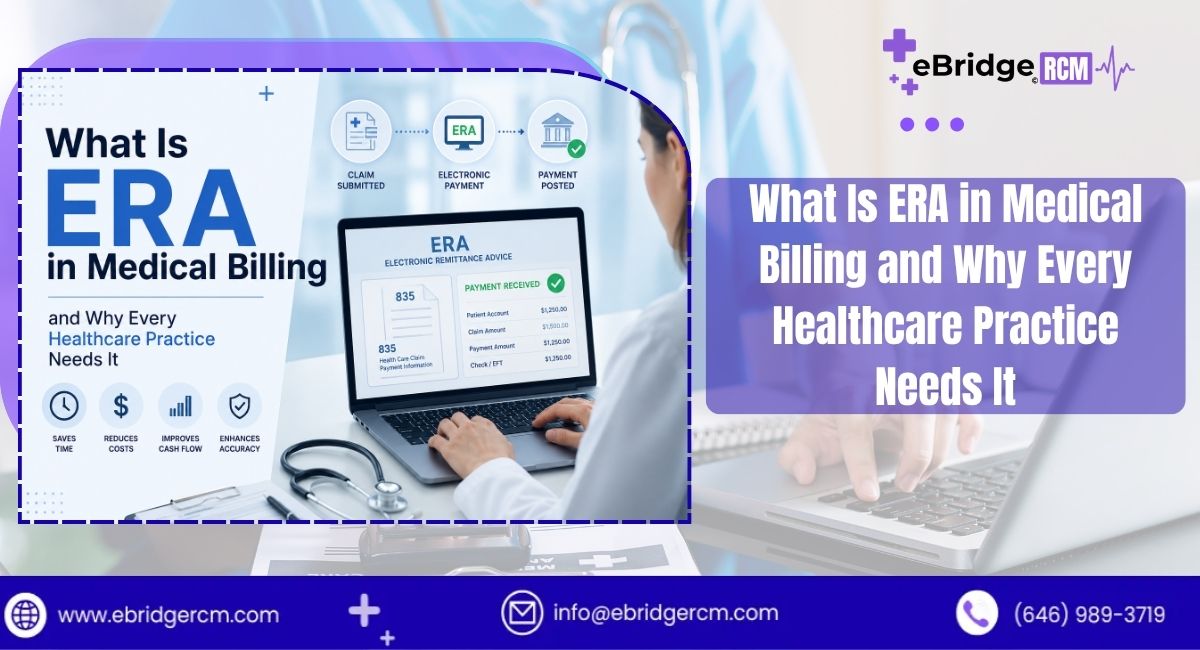
ERA stands for Electronic Remittance Advice. It is an electronic version of the Explanation of Benefits document that insurance payers send to healthcare providers after processing a claim. Where a paper EOB arrives by mail and must be manually handled, an ERA is transmitted electronically and can be imported directly into a practice management system or billing software.
The technical format behind ERA is the ANSI X12 835 transaction set, which is a standardized electronic data interchange format used across the US healthcare industry. The 835 transaction is one of several EDI standards established under HIPAA for administrative healthcare transactions. It defines exactly how payer payment data must be structured, which allows billing systems from different vendors to process ERA files consistently regardless of which payer sent them.
When a payer processes a claim, they generate an 835 file that includes payment amounts, adjustment codes, denial reasons, and the exact allocation of funds across each service line. This file travels through a clearinghouse to the provider’s billing system, where it can be auto-posted or reviewed before posting, depending on the practice’s workflow preferences.
Understanding the relationship between medical billing and revenue cycle management clarifies where ERA fits: it sits at the payment posting stage, which is the point in the cycle where reconciliation between claims submitted and amounts received actually happens.
How ERA Is Different from EFT
ERA and EFT are often discussed together because they are frequently enrolled through the same payer portal, but they are not the same thing.
EFT, or Electronic Funds Transfer, is the mechanism that moves actual payment dollars from the payer to the provider’s bank account. ERA is the explanation that accompanies those funds, detailing how the payment was calculated. A practice can receive EFT without ERA, meaning money arrives in the bank with no electronic detail about what it covers. A practice can also, in some configurations, receive ERA without EFT, receiving the electronic explanation while still waiting for a paper check.
The most efficient setup is having both enrolled together. When EFT and ERA are paired, payment hits the bank account and the matching electronic remittance arrives in the billing system simultaneously, allowing auto-posting and bank reconciliation to happen in the same workflow rather than as separate manual tasks.
What an ERA Actually Contains
An 835 file contains significantly more structured data than a paper EOB, even though both documents cover the same transaction. Understanding what the ERA includes helps billing teams use it effectively.
Claim-level payment information: Each claim paid in the batch has a unique claim adjustment reference number. The ERA shows the amount billed, the amount allowed, the contractual adjustment, and the amount paid. For denied claims, it shows the denial reason using Claim Adjustment Reason Codes, or CARCs.
Service line detail: Within each claim, every procedure code is broken out separately. If a patient had four services billed on one claim and two were paid while two were denied, the ERA shows each line individually with its own adjustment codes and amounts.
Adjustment codes: CARCs explain adjustments to payment, such as CO-45 for a contractual obligation adjustment or PR-2 for a patient deductible. Remittance Advice Remark Codes, or RARCs, provide additional explanation when a CARC alone is not sufficient. Billing staff who know these codes can read an ERA and understand exactly what happened to each claim without calling the payer.
Payer and payee identification: The ERA includes NPI numbers, tax identification numbers, and payer identifiers that allow the billing system to match the remittance to the correct practice, group, or rendering provider.
Check or EFT reference numbers: For reconciliation purposes, the ERA includes the trace number linking it to the corresponding EFT deposit or paper check.
Payment date and period: The ERA specifies the service dates covered and the payment date, which matters for tracking timely filing limits for insurance claims and appeals deadlines.
The ERA Workflow: From Claim Submission to Payment Posting
Seeing ERA in the context of the full claim cycle makes its value clearer.
Step 1: Claim Submission
A provider submits claims electronically to a clearinghouse, which scrubs the claims for errors and forwards them to payers. The clearinghouse used here is the same one that will later receive and deliver the ERA back to the practice. Services like clearinghouse solutions handle this bidirectional flow, managing both outbound claim transmission and inbound ERA receipt.
Step 2: Payer Processing
The insurance company adjudicates the claim, applies the provider’s contracted rates, applies patient responsibility amounts, and determines whether to pay, partially pay, or deny each service line. At the end of this process, they generate the 835 EDI file.
Step 3: ERA Transmission
The payer sends the 835 file to the clearinghouse. The clearinghouse reformats or translates the file if needed and delivers it to the practice’s billing system. Most modern practice management platforms, including athenahealth, AdvancedMD, Kareo, Modernizing Medicine, and similar systems, have built-in ERA import functionality.
Step 4: Auto-Posting or Manual Review
Billing software can match the ERA data to open claims automatically and post payments and adjustments without human intervention, a process called auto-posting. For claims with denials or unexpected adjustments, the system typically flags them for manual review.
Step 5: Denial Management and Follow-Up
Claims flagged during ERA review move into the denial management workflow. The billing team reviews the CARC and RARC codes, determines whether to appeal or write off the amount, and takes the appropriate action. Having structured denial reason data in the ERA makes this process much more efficient than calling the payer to ask why a claim was denied.
Why ERA Matters Financially
The financial case for ERA adoption comes down to staff time, accuracy, and the speed at which money moves through the practice.
Faster Payment Posting
Manual EOB processing typically takes 15 to 30 minutes per batch for an experienced billing coordinator, depending on the number of claims in the batch. Auto-posting with ERA can process the same batch in seconds. Across a week of operations for a busy practice, this reclaimed time is meaningful. It can be redirected toward denial follow-up, patient balance collection, or other revenue-generating tasks.
Fewer Posting Errors
Manual data entry introduces transcription errors. A mistyped payment amount or a missed adjustment code creates reconciliation problems that take longer to untangle than the original posting would have taken. ERA auto-posting eliminates the manual entry step, which reduces these errors significantly.
Better Denial Visibility
Because ERA data is structured and machine-readable, billing software can categorize denials by reason code, payer, provider, or procedure code. This gives practices the ability to identify patterns in their denials, which is foundational to denial prevention. A practice that knows 18 percent of its denials from a specific payer are CO-4 codes (service not covered) can investigate whether those services are actually not covered or whether there is a coding issue driving the denials.
Practices working to reduce claim denials consistently report that ERA adoption gives them the data they need to address root causes rather than just resubmitting individual denied claims.
Cleaner Reconciliation
When EFT and ERA arrive together, the bank deposit amount should match the sum of the ERA payment amounts exactly. This makes month-end reconciliation straightforward and gives practice administrators confidence that no payments are missing or misallocated.
ERA Enrollment: How to Set It Up
ERA is not automatic. Providers must enroll with each payer separately to receive electronic remittance. The enrollment process varies by payer and can be one of the more tedious administrative tasks for billing teams.
Option 1: Direct Payer Enrollment
Some payers, including Medicare and Medicaid, allow providers to enroll directly through their online portals. Medicare ERA enrollment happens through the PECOS system or through the MAC’s (Medicare Administrative Contractor) provider portal. Medicaid ERA enrollment varies by state.
Option 2: Clearinghouse Enrollment
Most clearinghouses offer ERA enrollment services that handle the payer-specific enrollment process on behalf of the practice. This is usually the faster route because clearinghouses maintain existing relationships and enrollment processes with hundreds of payers. For practices using a clearinghouse for claim submission, adding ERA enrollment through the same vendor is a logical step.
Option 3: Through Billing Software
Many practice management platforms include ERA enrollment as part of their setup process, handling enrollment across major payers automatically. Smaller or regional payers may still require individual enrollment, but the largest payers are typically handled through the software vendor.
Enrollment timelines vary. Some payers activate ERA within a few business days of receiving the enrollment request. Others take several weeks. For practices setting up a new billing operation, starting ERA enrollment early prevents delays in payment posting once claims begin flowing.
ERA and EHR Integration
The benefit of ERA is maximized when it is fully integrated with the practice’s EHR and billing system. When integration is incomplete or broken, ERA files arrive but cannot be auto-posted accurately, which puts the practice in a worse position than manual EOB processing because staff must now troubleshoot the integration as well.
Common integration issues include mismatched NPI formats, tax ID mismatches between the ERA and the practice management system, and billing software that does not support the specific 835 version a payer sends. Most of these issues are addressed during initial setup, but they require technical attention.
Why EHR integration is key to better billing covers the broader relationship between clinical and billing systems, including how payment posting workflows are affected when data does not flow cleanly between the EHR and the practice management platform.
ERA vs. Paper EOB: A Direct Comparison
| Feature | Paper EOB | ERA (835 EDI) |
| Delivery method | Electronic via clearinghouse | |
| Processing time | 15 to 30 minutes per batch | Seconds with auto-posting |
| Data structure | Unstructured text/tabular | Machine-readable EDI format |
| Error risk | Manual entry errors possible | Eliminated with auto-posting |
| Denial detail | Narrative or coded | CARC and RARC codes, structured |
| Storage | Physical filing required | Digital, searchable |
| Reconciliation | Manual bank matching | Automated with EFT pairing |
| Audit trail | Requires document management | Built into billing system |
| Cost | Postage, labor, storage | Clearinghouse fees, lower net cost |
ERA for Different Practice Types
The value ERA delivers is consistent across practice types, but the specific workflows it improves differ depending on how a practice operates.
Solo Practices
For a solo provider running a small practice, the billing burden typically falls on the provider themselves or a single part-time staff member. ERA with auto-posting compresses the payment posting step significantly, freeing that staff person to focus on patient billing, prior authorizations, or claims follow-up. Practices at this stage that are thinking through how to build efficient billing workflows should also consider the range of administrative challenges involved in building a sustainable billing process.
Group Practices
Group practices deal with ERA files that may contain payments across multiple providers, multiple payers, and multiple service dates simultaneously. The ability to auto-post and sort ERA data by rendering provider is critical for practices that need to track productivity and revenue by individual clinician. Groups that have recently expanded should pay particular attention to how ERA enrollment and NPI management interact, particularly when both group and individual NPIs are being used for billing.
Mental Health and Behavioral Health Practices
Mental health practices often bill across multiple payers including Medicaid MCOs, commercial behavioral health carve-outs, and Employee Assistance Programs. Each payer generates its own ERA, and the denial patterns across these payers can vary significantly. ERA gives mental health billing teams the structured data they need to manage this complexity without drowning in paper. Revenue cycle tips for mental health providers addresses the specific billing environment these practices navigate.
High-Volume Specialties
Specialties like cardiology, orthopedics, and gastroenterology submit large claim volumes with complex procedure code combinations. A single patient encounter may generate multiple procedure codes, each with different allowed amounts and adjustment patterns. ERA processes all of this at the service line level, which makes payment reconciliation accurate even when a single claim has ten or fifteen line items.
Reading CARC and RARC Codes Effectively
The practical value of an ERA depends significantly on whether billing staff can read the adjustment codes it contains. CARCs and RARCs are standardized codes maintained by the Washington Publishing Company under the oversight of HIPAA-mandated standards bodies.
Some of the most commonly encountered CARCs in ERA processing include:
CO-45: Charges exceed the contracted rate. This is the standard contractual adjustment applied to in-network services and is expected on almost every paid claim. It requires no action.
CO-4: Service is inconsistent with the modifier on the claim, or the procedure code does not match the diagnosis code. This is a coding issue that requires review.
CO-50: Non-covered service. The procedure is not a covered benefit under the patient’s plan. This may require patient billing or a coverage review.
CO-97: The benefit for this service is included in the payment or allowance for another service. Common in bundled procedure billing.
PR-1, PR-2, PR-3: Patient deductible, coinsurance, and copay respectively. These are patient responsibility amounts that should be billed to the patient.
CO-16: Claim or service lacks information needed for adjudication. This means the payer needs additional information and will not pay until it is provided. It often triggers a follow-up request to the provider.
Practices that invest time in training billing staff to interpret these codes without having to reference a lookup table every time will process denials faster and more accurately.
Common ERA Problems and How to Handle Them
ERA adoption is generally straightforward for practices using modern billing software, but a few recurring issues are worth knowing about before they arise.
ERA Arrives but Does Not Auto-Post
This usually indicates a mismatch between the identifiers in the ERA file and those in the billing system. The most common culprit is a tax ID or NPI discrepancy. Verifying that the billing system has the correct NPI and tax ID on file for each rendering and billing provider, and that these match the payer’s records exactly, resolves most auto-posting failures.
Partial ERA Files
Some payers split large ERA batches into multiple files or send partial remittances that cover only some claims in a submission batch. Billing systems that do not handle split remittances well can make it appear that claims are missing or unpaid. Checking the trace numbers in each ERA against expected EFT deposits helps identify incomplete remittance situations.
Duplicate ERA Files
Clearinghouses occasionally deliver the same ERA twice, particularly after transmission errors or resubmissions. Billing software with duplicate detection will flag these, but in systems without this feature, a duplicate ERA can result in payment being posted twice, which creates an overpayment that must be refunded to the payer.
ERA Without Matching EFT
When ERA arrives but the corresponding EFT has not yet hit the bank, the billing system may post the payment before the funds are actually available. Reconciliation procedures should verify that ERA-posted amounts are matched by actual bank deposits before the period is closed.
The Role of Clearinghouses in ERA Processing
Clearinghouses are the intermediaries that make ERA work reliably across hundreds of different payer systems and billing platforms. They translate payer-specific 835 formats into a consistent format the billing system can process, manage enrollment relationships with payers, and provide audit trails for troubleshooting when ERA files are delayed or malformed.
Well-known clearinghouses in the US healthcare billing market include Change Healthcare (now Optum), Availity, Office Ally, Trizetto (now Cognizant), and Waystar. Most practice management platforms have pre-built integrations with at least the major clearinghouses, which simplifies setup.
Choosing a clearinghouse that has strong payer connectivity in the specific payers a practice bills is important. A clearinghouse with excellent Medicare and Medicaid connectivity but limited connectivity to regional commercial payers may not serve a practice’s full payer mix well. The EDI clearinghouse options available through specialized RCM vendors often include payer connectivity breadth as a key feature.
ERA and Compliance Considerations
ERA files contain Protected Health Information and are therefore subject to HIPAA requirements for data transmission, storage, and access. Practices must ensure that their billing system and clearinghouse comply with HIPAA’s Technical Safeguards for electronic PHI, including access controls, audit logs, and encryption in transit and at rest.
The HIPAA 835 transaction standard itself is a mandate, not an option, for covered entities. Under HIPAA’s Electronic Transaction and Code Set Standards, payers must support the 835 format if a provider requests electronic remittance. This means practices have a legal basis to request ERA from any payer that refuses to offer it, though in practice most major payers have supported ERA for years.
From a compliance documentation standpoint, ERA files serve as a form of audit trail. A practice that receives a payer audit can pull ERA data to show exactly what was paid and when, which is more accurate and searchable than a folder of paper EOBs.
Moving from Paper EOB to ERA: Practical Steps
Practices that are still partially or fully reliant on paper EOBs can transition to ERA without disrupting their current billing operations. The transition is incremental rather than a sudden switch.
Step 1: Identify which payers are still sending paper EOBs. Pull 90 days of payment posting history and note which payers are posting from paper versus those already on ERA.
Step 2: Confirm that the practice management system supports ERA auto-posting and has the clearinghouse connection needed to receive ERA files.
Step 3: Prioritize ERA enrollment with the highest-volume payers first. Getting the top three or four payers on ERA reduces the paper volume significantly before the remaining smaller payers are addressed.
Step 4: Train billing staff on reading CARC and RARC codes and on the auto-posting review workflow. Auto-posting requires oversight, not just setup.
Step 5: Establish a reconciliation process that matches ERA totals against EFT deposits weekly. This catches discrepancies before they accumulate into larger problems at month-end.
Step 6: After 60 days, pull a denial analysis report using the ERA data in the billing system and identify the top three denial reasons by volume and by dollar amount. Use this data to begin addressing root causes.
For practices working toward fully optimized billing operations, the end-to-end RCM solutions framework shows how ERA fits alongside other components including eligibility verification, claims scrubbing, and AR management.
FAQ: Electronic Remittance Advice
What does ERA stand for in medical billing?
ERA stands for Electronic Remittance Advice. It is the electronic equivalent of a paper Explanation of Benefits, transmitted in the ANSI X12 835 EDI format. It tells providers how a payer processed each claim, including what was paid, what was adjusted, and why claims or service lines were denied.
Is ERA enrollment mandatory for providers?
ERA enrollment is not mandatory for providers, but payers are required under HIPAA to support it upon request. While practices can continue using paper EOBs, ERA offers clear operational advantages. Most billing software and RCM vendors encourage ERA adoption as a baseline requirement for efficient billing.
How long does it take to set up ERA with a payer?
Setup timelines vary. Medicare and some larger commercial payers can activate ERA within a few days of receiving an enrollment request. Regional or smaller payers may take two to four weeks. Some payer portals allow self-service ERA enrollment, while others require a paper form or clearinghouse-facilitated enrollment.
Can ERA be received without EFT?
Yes, a practice can be enrolled for ERA while still receiving paper checks from a payer. However, pairing ERA with EFT provides the most complete automated payment workflow because the electronic explanation and the electronic payment arrive together and can be matched without manual intervention.
What is auto-posting and when should a practice use it?
Auto-posting is the process by which billing software reads an ERA file and posts payment, adjustment, and denial data to open claims automatically without staff manually entering each transaction. It is appropriate when the billing system can reliably match ERA data to claims. Most practices use a hybrid approach: auto-posting for standard paid claims and manual review for denials and partial payments.
What is the difference between a CARC and a RARC?
A CARC (Claim Adjustment Reason Code) is a standardized code used in ERA files to explain why a payment amount differs from the billed amount. A RARC (Remittance Advice Remark Code) provides supplemental information to a CARC when the reason code alone does not fully explain the adjustment. Both code sets are maintained under HIPAA standards and are consistent across all payers.
What happens to paper EOBs after ERA enrollment?
Once ERA enrollment is active with a payer, paper EOBs from that payer should stop. Occasionally, payers send a final paper EOB during the transition period. If paper EOBs continue arriving after ERA enrollment is confirmed, the practice should contact the payer or clearinghouse to verify the enrollment status and transmission route.
ERA Is Not Optional for a Well-Run Practice
Every week that a billing team spends manually processing paper EOBs is a week of revenue cycle inefficiency that compounds over time. Staff hours consumed by manual entry are hours not spent on denial follow-up, appeals, or patient collections. Errors introduced during manual posting create reconciliation problems that take longer to fix than the posting itself.
ERA removes that friction. It delivers structured, actionable payment data directly into billing software, enables auto-posting, powers denial analysis, and supports the kind of financial reporting that helps practice administrators make informed decisions about payer contracts and billing processes.
The setup process requires some upfront effort, particularly the payer enrollment phase, but that work pays for itself within the first few weeks of operation. For practices that are still navigating this transition or want to optimize their current ERA workflows, working with a billing partner that manages ERA enrollment, clearinghouse connectivity, and payment posting as part of a complete revenue cycle service reduces the burden significantly.
eBridge RCM LLC offers comprehensive medical billing services that include ERA enrollment, auto-posting setup, denial management, and payment reconciliation for practices across specialties. If your current billing process still relies heavily on paper EOBs or manual payment posting, their team can assess your workflow and handle the transition without disrupting your current operations.